.png)
FAQ Section
Where we provide clear answers to your most pressing questions about our FDM solutions and offerings.

Explore our most common questions

How Brazos FDM Can Help You Maintain Safe Operations?
By enabling the Brazos FDM integration with FlyGarmin, flight operators will be able to analyze flight performance against pre-established parameters and review reports to improve results over time.

Improve Flight Safety with Brazos FDM.
- Identify and Monitor Risks: Detect operational risks, unusual events, and safety trends using routine flight data.
- Assess and address Safety Issues: Add additional aircraft anytime to expand your reach and maximise impact.
- Ensure Continuous Improvement: Track the effectiveness of safety measures through ongoing monitoring and data analysis.
- Actionable Insights: Powered by advanced data analytics, transform raw information into strategic decisions that drive performance.


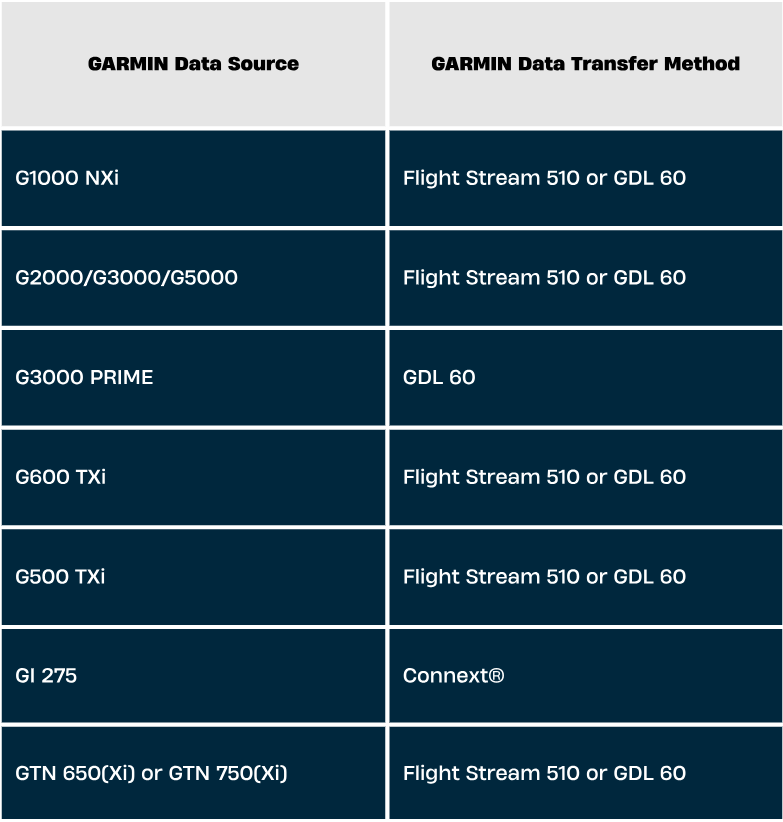
Brazos x Garmin - Avionics Integration Details
Our integration with Garmin is designed to support several device / avionics setups.
Need more information? Please visit the FlyGarmin avionics section here.
Do I Need a Software Update From Garmin to Use Brazos?
Certain Garmin devices may require a firmware or software update to enable data export or connectivity functions. Verify compatibility with Garmin Support or your avionics technician based on your device model and software version. If flight data is currently visible in FlyGarmin, the export capability is likely active.
Need more information? FlyGarmin.com covers it in their FAQs section here

How Do I Connect My Garmin Account Or Device To Brazos?
To share your flight data from Garmin to Brazos, log in to your FlyGarmin account
Click here to log inThen go to Logbook > Aircraft Logbook> Sharing >
From the list of service providers, select Connect Account next to Brazos Safety Sytems
You will be directed to ...
A Brazos setup page where you will provide your contact information. A Brazos account manager will reach out to you via email.

Is Additional Hardware Required To Enable Integration?
Integration can be enabled for systems capable of uploading data to flyGarmin.com.
Need more information? FlyGarmin.com covers it in their FAQs section here
What Type Of Flight Data Is Transferred And Analyzed?
Typical data fields include timestamps, GPS coordinates (latitude, longitude, altitude), airspeed, ground speed, aircraft attitude (pitch and roll), selected engine parameters, flight control inputs, and event markers. Brazos processes these datasets to detect safety trends, operational exceedances, and performance insights.

Is The Data Transfer Automatic Or Manual?
Pair your avionics to your mobile device running the Garmin Pilot™ app with FlightStream 510 or via GDL 60. Flight data is securely transmitted from Garmin to Brazos through an encrypted API connection, ensuring integrity and confidentiality throughout the process.
Is My Flight Data Secure During Transfer And Storage?
All data is encrypted during transfer and stored securely on Garmin and Brazos servers, following industry best practices for data protection and privacy compliance.
What Is Included In Your Integration?
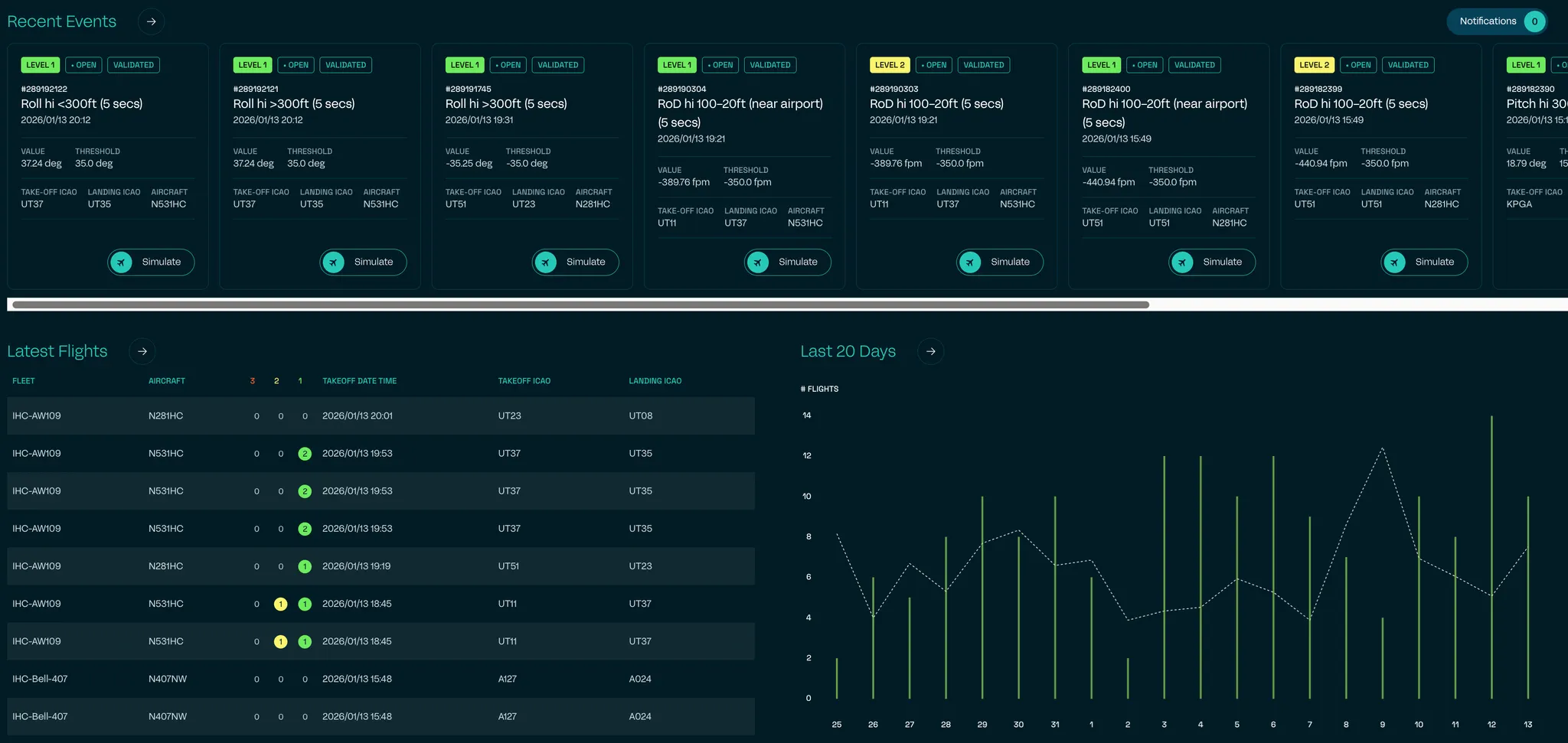
- Access to the Brazos Portal: Check flight recent activity and safety events.
- Data Management: Use our advance tool to manage flight and safety event data.
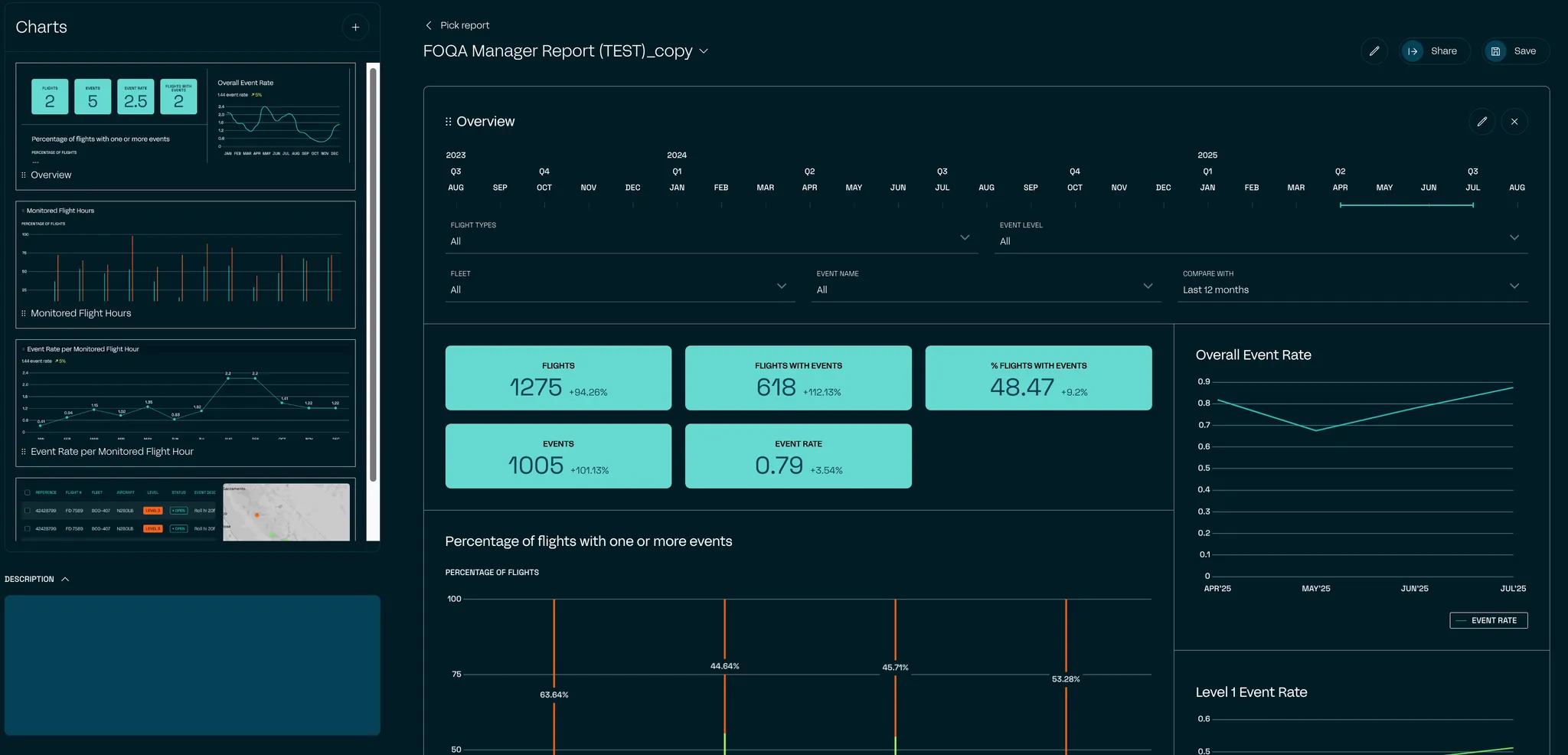
- Safety Insights: Have the ability to examine specifications and safety events, critical for every operation.
- Flexible Reporting: Use different type of charts, dashboards and build reports according to your needs.
.png)
What Else Is Included In Your Integration?
- Portal Single-Flight Analysis Access
- Garmin recorded parameters available
- Standard safety event definition (for Fixed and Rotor Wing Aircraft)
- Auto validation Level 1, 2 and 3 events
- Email / Phone Support
How Can I View Or Download My Analyzed Flight Data And Reports?
After onboarding, analyzed data is accessible through the Brazos Web Portal (under the “Reports” Tab), which provides searchable flight records, safety event logs, and customisable dashboard reports.
Which Aircraft Types And Garmin Configurations Are Supported By The Integration?
The integration supports a wide range of fixed-wing and rotary aircraft equipped with compatible Garmin avionics. Brazos can provide a compatibility assessment based on your fleet.
Will This Integration Affect My Garmin Warranty Or Software Updates?
No, the integration does not interfere with Garmin’s warranty or software updates. It operates independently and adheres to Garmin’s data handling guidelines.
What Kind Of Support Is Available If I Encounter Issues?
Brazos offers dedicated on-boarding assistance, technical support, and documentation via email. Garmin support is also available for device-specific issues.
Need more information? FlyGarmin.com covers it in their FAQs section here
%201.svg)